
Screenshots
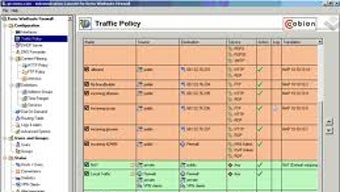
App details
- Version
- 9.3.4
- Size
- 10.45 MB
- Updated
- May 16, 2024
- Requires
- Windows 2000
- License
- Trial version
- Developer
- Kerio Technologies
- Category
- Windows OS
SoftPas in:
This product is also available in the following languages:
About Kerio Control VPN Client 64 bit
Download Kerio Control VPN Client 64 bit – Secure Remote Access, Free Trial, Windows & Mac Compatible
Kerio Control VPN Client 64 bit is a powerful and secure software tool designed for users seeking reliable remote access and advanced network protection. Developed by Kerio Technologies, this client enables seamless, encrypted connections over public and private networks, making it ideal for businesses and individuals who prioritize data security. With its robust firewall integration and strong encryption protocols, Kerio Control ensures that your online communications remain private and protected from potential threats. The 64-bit version is optimized for modern Windows systems, delivering enhanced performance and stability. Whether you're connecting from home, a coffee shop, or a remote office, Kerio Control VPN Client provides a secure tunnel to your organization’s network. The trial version allows users to experience the full suite of features before deciding on a purchase, making it a low-risk way to evaluate its capabilities. Available for download from the official Kerio Technologies website, the software is regularly updated to address vulnerabilities and improve functionality. With support for Windows and Mac platforms, Kerio Control is a versatile solution for modern remote work environments.
Key Features of Kerio Control VPN Client 64 bit
One of the standout aspects of Kerio Control VPN Client 64 bit is its comprehensive security framework. The software uses strong encryption standards, including AES-256, to safeguard data in transit, ensuring that sensitive information remains inaccessible to unauthorized users. This makes it a top choice for professionals handling confidential data, such as financial records, customer information, or intellectual property. The client integrates seamlessly with Kerio Control firewall appliances, offering centralized management and consistent security policies across your network. Administrators can configure access rules, user permissions, and connection logs from a single dashboard, simplifying IT oversight.
Another major advantage is the support for multiple authentication methods. Users can log in using pre-shared keys, certificates, or integration with LDAP and Active Directory, enhancing both security and ease of deployment in enterprise environments. The client also supports split tunneling, allowing users to route only specific traffic through the VPN while keeping other connections on the local network. This improves performance and reduces bandwidth usage. Additionally, Kerio Control includes real-time monitoring and logging features, enabling IT teams to detect suspicious activity and respond quickly to potential breaches.
For remote workers, the client offers automatic reconnection and persistent session support, ensuring that users stay connected even during temporary network disruptions. The interface is clean and intuitive, making it accessible to both technical and non-technical users. Whether you're setting up a secure connection for a small business or managing a large-scale remote workforce, Kerio Control provides the tools needed to maintain a secure and efficient network environment.
Installation & Usage Instructions
Installing Kerio Control VPN Client 64 bit is a straightforward process that takes just a few minutes. Begin by visiting the official Kerio Technologies website and navigating to the download section. Select the appropriate version for your operating system—Windows 64-bit is recommended for optimal performance. Once the installer file is downloaded, run it as an administrator to ensure full system access. Follow the on-screen prompts, which include accepting the license agreement and choosing the installation directory.
After installation, launch the Kerio Control Client from the Start menu or desktop shortcut. The first-time setup will prompt you to enter the server address provided by your network administrator. This is typically in the format https://yourcompany.kerio.com or a custom IP address. Next, input your username and password, or use certificate-based authentication if configured. The client will then attempt to establish a secure connection using the specified encryption protocol.
Once connected, you’ll see a status indicator in the system tray showing “Connected” and your assigned IP address. You can now access internal resources such as file servers, email systems, and internal web applications as if you were on-site. To disconnect, simply right-click the Kerio icon in the system tray and select “Disconnect.” For users managing multiple profiles, the client supports saving different configurations for various networks or locations.
For ongoing maintenance, it’s recommended to keep the client updated. The software checks for updates automatically, but you can also manually trigger a check under the “Help” menu. Regular updates ensure compatibility with the latest security standards and fix any known bugs. If you encounter connection issues, the built-in diagnostic tool can help identify problems such as firewall blocks or DNS misconfigurations.
Compatibility & System Requirements
Kerio Control VPN Client 64 bit is designed for modern computing environments and supports a wide range of operating systems. The primary platform is Windows, with full compatibility for Windows 10 (64-bit), Windows 11 (64-bit), and Windows Server 2016/2019/2022. For Mac users, Kerio also offers a dedicated client that works on macOS Monterey, Ventura, and Sonoma, ensuring cross-platform accessibility for hybrid teams.
The software requires a minimum of 2 GB of RAM and 500 MB of free disk space for installation. A stable internet connection is essential, as the client relies on continuous network communication to maintain secure tunnels. It is recommended to use a broadband connection for optimal performance, especially when transferring large files or accessing bandwidth-intensive applications.
Security-wise, the client is compatible with most modern firewalls and antivirus software, though users should ensure that no third-party security tools are blocking the Kerio Control service. The client runs as a background service and integrates with Windows Defender and other endpoint protection platforms without conflict. For organizations deploying the client at scale, Kerio provides deployment tools such as MSI packages and scripts for silent installation, streamlining rollout across multiple devices.
Additionally, the client supports integration with enterprise identity providers, including Microsoft Azure AD and Google Workspace, making it a flexible choice for cloud-first organizations. This level of compatibility ensures that users can maintain consistent security standards regardless of their device or location.
Pros and Cons of Kerio Control VPN Client 64 bit
Pros
- Strong encryption: Uses AES-256 and other advanced protocols to protect data in transit.
- Enterprise-grade security: Ideal for businesses with strict compliance requirements like GDPR or HIPAA.
- Seamless integration: Works flawlessly with Kerio Control firewall appliances and central management consoles.
- Multiple authentication methods: Supports certificates, LDAP, and pre-shared keys for flexible access control.
- Automatic reconnection: Maintains connectivity during network interruptions, reducing downtime.
- Intuitive interface: Easy to use for both IT admins and end users.
- Regular updates: Frequent security patches and feature improvements ensure long-term reliability.
Cons
- Requires admin rights: Installation may be restricted in tightly controlled corporate environments.
- Learning curve for new users: Some advanced features require technical knowledge to configure.
- Not available for Linux: Lacks native support for Linux-based systems.
- Trial limitations: The free trial version may restrict certain enterprise features.
- Dependent on server setup: Client functionality relies on proper configuration of the Kerio Control server.
Frequently Asked Questions (FAQ)
- Is Kerio Control VPN Client free to download?
-
The Kerio Control VPN Client is available as a free download from the official Kerio Technologies website. It includes a fully functional trial version that allows users to test all features for a limited time before purchasing a license.
- Can I use Kerio Control on Mac and Windows?
-
Yes, Kerio Control offers native clients for both Windows (64-bit) and macOS. This cross-platform support makes it suitable for mixed-device environments in modern workplaces.
- How do I update the Kerio Control client?
-
Updates are delivered automatically through the client’s built-in update system. You can also manually check for updates by going to Help > Check for Updates in the application menu.
- Does Kerio Control support split tunneling?
-
Yes, Kerio Control supports split tunneling, allowing users to route only specific traffic through the VPN while keeping other internet traffic on the local network. This improves performance and reduces bandwidth usage.
- Is Kerio Control suitable for small businesses?
-
Absolutely. While designed for enterprise use, Kerio Control is scalable and cost-effective for small to medium-sized businesses looking to secure remote access and protect internal resources without compromising performance.
Conclusion & Call to Action
Kerio Control VPN Client 64 bit stands out as a reliable, secure, and feature-rich solution for remote network access. With its strong encryption, seamless integration with enterprise firewalls, and user-friendly interface, it delivers peace of mind for both IT administrators and end users. Whether you're managing a small team or securing a large organization’s digital infrastructure, this software offers the tools needed to maintain a secure and efficient network environment.
While it has a few limitations—such as the lack of Linux support and the need for administrative privileges during installation—the benefits far outweigh the drawbacks. The free trial version allows you to test the software risk-free, giving you full visibility into its capabilities before committing.
Don’t wait to secure your remote connections. Download Kerio Control VPN Client 64 bit today from the official website and take the first step toward a safer, more connected workplace.
Guides & Tutorials
How to install Kerio Control VPN Client 64 bit
- Click the Download button above.
- Once redirected, accept the terms and click Install.
- Wait for the Kerio Control VPN Client 64 bit download to finish on your device.
How to use Kerio Control VPN Client 64 bit
This software is primarily used for its core features described above. Open the app after installation to explore its capabilities.
User Reviews
No reviews yet. Be the first to share your experience.
You may also like
more
Llama 2
Free-to-use large language model As the new addition to Meta’s arsenal of langua...

NotebookLM
Revolutionizing the note-taking and idea-generation process NotebookLM is an exp...

Github co pilot
AI-inspired software development and coding platform GitHub Copilot is a browser...

Google Gemma
Google’s lightweight AI models Introducing Google Gemma , a family of cutting-ed...

AI Image Enlarger
A free app for Windows, by ai-image-larger. AI Image Enlarger is a free software...

DALL E
AI-driven text-to-image transformation engine DALL·E is a free graphic and desig...